SentVi empowers
intelligence analysts, law enforcement, investigators, researchers, and information professionals with next-generation data visualization and analysis capabilities—built to handle the demands of big data.

SentVi Overview
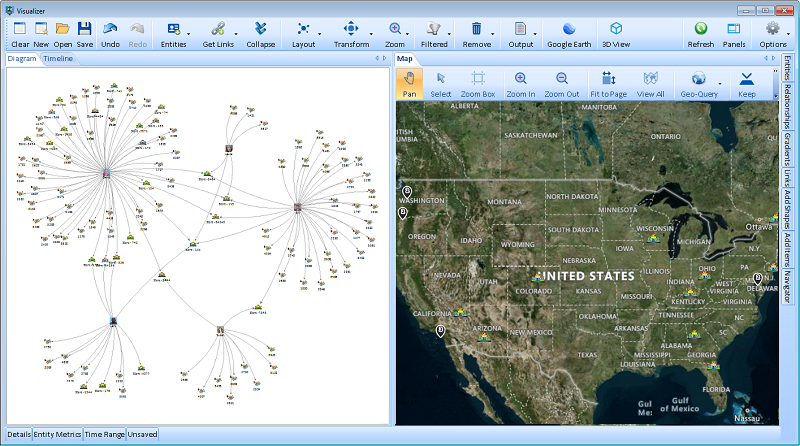
SentVi is a Windows-based program that provides data visualization, analysis and knowledgebase management all within one product. Formerly, Sentinel Visualizer, SentVi produces interactive dynamic link charts, timeline and geospatial views, and provides a variety of analysis tools including Social Network Analysis, temporal analysis and entity and relationship weighting. SentVi includes a multi-user knowledgebase for efficiently and economically storing analysis data.
SentVi is secure and private. We never see or touch your data. The Windows version of SentVi runs on your PC and hardware, not ours and can be completely disconnected from the Internet.
SentVi is available in 4 editions (Standard, Professional, Premium, and Ultimate) to better meet your needs and requirements.
Product Highlights
- Integrated knowledge base, link analysis, social network analysis, geospatial, and timelines
- Industry standard database format with Microsoft SQL Server
- Multi-user support
- Laptop deploy-able
- Multiple monitor support
- Originally created for the Intelligence Community
- No Dongle
Free Trial Version
Key Features
Link Analysis
- Visualizes relationships between people, places, events, organizations, and objects
- Create Large Link Charts
- Wide range of tools are available to customize and perform additional analysis
- Start with One Entity and Build the Network
Social Network Analysis (SNA)
- Identify key influencers, clusters, and patterns in data networks (e.g., criminal or terrorist organizations)
- Perform Social Network Analysis on your Big Data sets
- Use SNA without the cumbersome interfaces from academic programs
Geofencing Analysis
-
Plots data on maps to analyze locations, movements, and spatial relationships.
-
Useful for tracking suspects, incidents, or assets geographically.
Temporal Analysis
-
Shows how networks evolve over time.
-
Timeline visualizations can highlight sequences of events or communications.
Data Analysis
- Data analytics are available to find, filter, add, color and analyze
- Customize the display of entities on your diagram
- Show/Hide options let you just see the Linked Entities or Unlinked Entities
- Range and relationship filter limits the entities in the diagram based on the low and high values of an entity metric
Database Integration
-
Search for Entities, Relationships and Connections
-
Works with SQL Server, potentially containing millions of records in just seconds.
-
Allows querying and exploring large datasets with a focus on relational intelligence.
Reporting & Presentation Tools
- Generate charts, dashboards, and reports for communication and collaboration.
- Save and share your link analysis charts with non-licensed Users.
Configurations
- Runs on PC, Internal network server, or Cloud provider
- Single and Multi-user Options
- Shard Licenses (no dongle req.)
- Training and Tech Support
- Prices starting at $3,000
Link Analysis
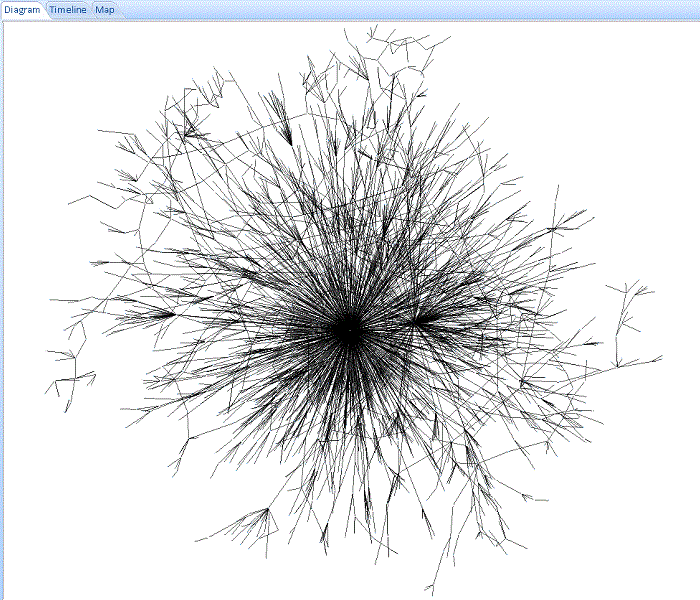
You can start big and drill down to details, or expand from individual entities one degree at a time until you include their entire network. Thousands of data points can be added to your diagram in a highly optimized, scalable, and shareable manner.
link-chart-multiple-circles
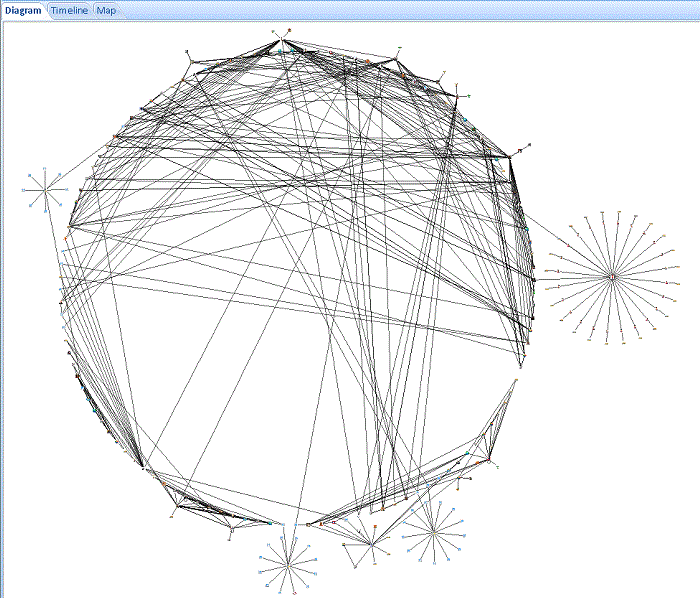
Multiple Circle Layout
link-chart-complex
Thousands of Connected Cellphones
link-chart-multiple-networks
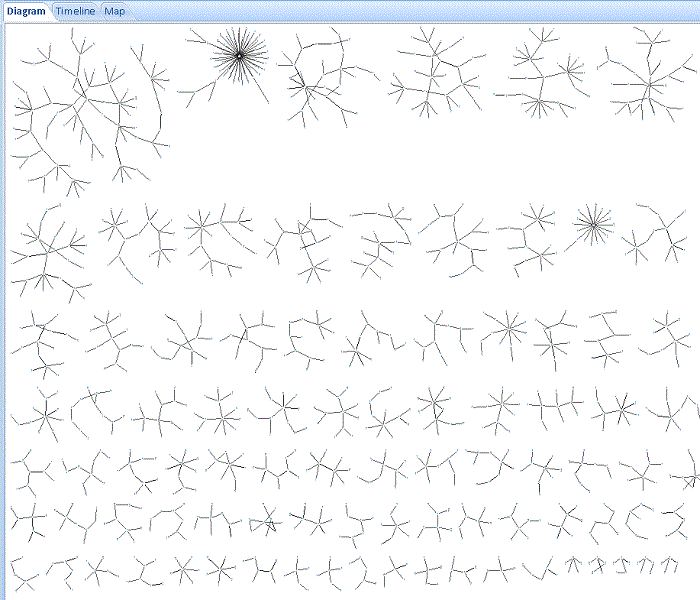
Multiple Disconnected Networks, Side-by-Side from Largest to Smallest
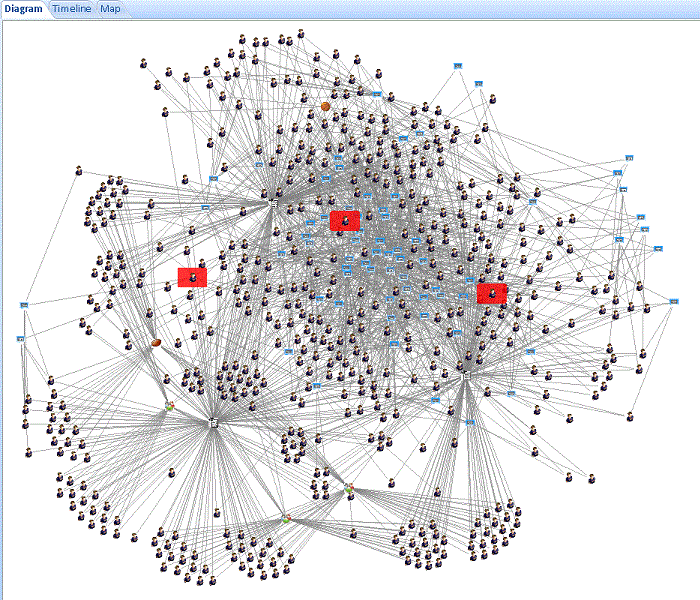
link-chart-contact-tracing
School Contact Tracing Network of Students and Staff
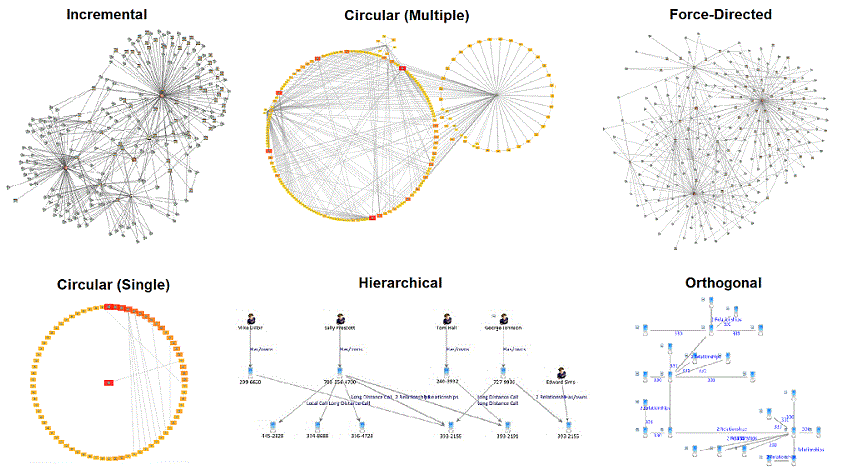
SentVi provides a variety of automated layout functions that make it easy to quickly organize networks into different configurations. Layouts include incremental, hierarchical, circular, elliptical, rectangular, square, triangular, orthogonal, and force-directed. Entities can also be grouped by their entity type.
Additional options control the entity sort order, multiple network displays, and other customizations.
Other Chart Layouts
Data Analysis
After using search to add entities and relationships on a Visualizer diagram, data analytics are available to find, filter, add, color and analyze.
- Find an entity on the diagram by searching for its name
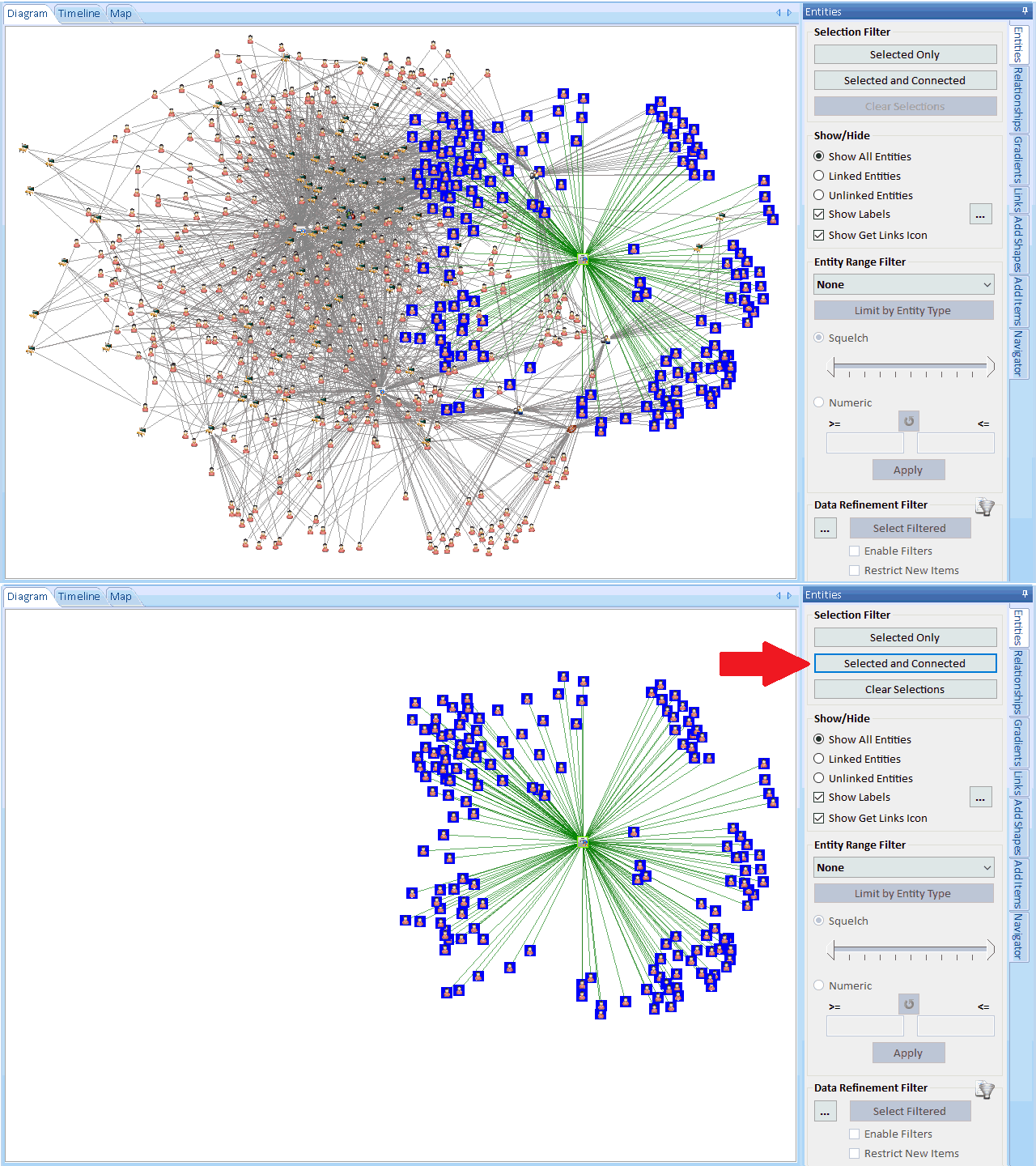
- Easily reduce the diagram to just the selected entities with or without their connected entities
- Only display linked or unlinked entities
- Filter the data by removing entities and relationships based on their characteristics
- Filter entities based on their details like Entity Type
- Filter entities based on numeric range values (low and high values)
- Filter relationships on their details like Relationship Type
- Filter relationships based on numeric range values
- Use the same data refinement to limit new data retrieved via Get Links
- Replace Entities based on their entity and relationship types
- Color and size entities on a gradient scaled based on their metrics
- Color and set the thickness of relationship lines on a gradient scaled based on their metrics
- Select two entities and perform Shortest Path and All Path analysis between them
- Identify entity cut-points to disrupt a network
- Calculate Cliques of closely connected entities within a network
- Select and filter individual networks
- Calculate metrics like Social Network Analysis (SNA)
- Apply date information for Temporal filtering and analysis